
AI Crawler robots.txt Rules: Separating Search Indexing from Training Bots
Key answerAn ai crawler robots.txt file uses targeted User-agent directives under the Robots Exclusion Protocol to control which automated bots may fetch specific directories. Because AI companies operate separate crawlers for live search indexing, user-triggered retrieval, and standalone model training, blanket Disallow rules can erase your brand from AI search answers. Always match specific user-agent tokens to your visibility goals.
Many site owners add a single Disallow: / block for AI bots and later wonder why their product pages disappear from AI-assisted search results. The root cause is treating every automated fetcher as a training scraper when major platforms split search indexing from foundation model training. Structuring ai crawler robots.txt rules properly protects private endpoints without sacrificing commercial discovery.
How does ai crawler robots.txt work under the standard?
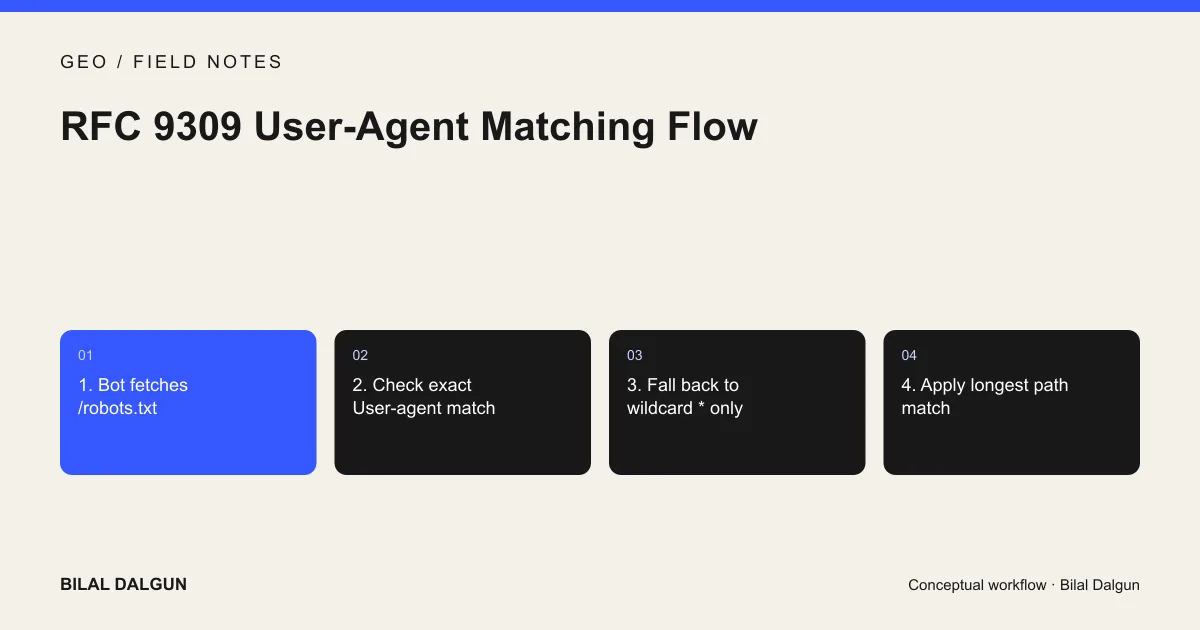
An ai crawler robots.txt file relies on the Robots Exclusion Protocol (RFC 9309) to tell compliant automated crawlers which URL paths they may or may not request. As detailed in Google's robots.txt specification, compliant bots download and parse /robots.txt before crawling site sections.
However, Google also clarifies that user-controlled fetchers, such as feed subscriptions or safety checks, do not follow standard automated REP rules in the same way. Similarly, Google's common crawlers documentation shows that different products use distinct User-agent tokens, and matching a specific token overrides wildcard * rules for that crawler.
When you write robots.txt directives, each bot reads only the most specific matching User-agent group. That means a rule targeting Googlebot controls Search and AI Overviews crawling, while separate tokens govern other Google or third-party systems.
Search Indexing Bots vs. Model-Training Crawlers
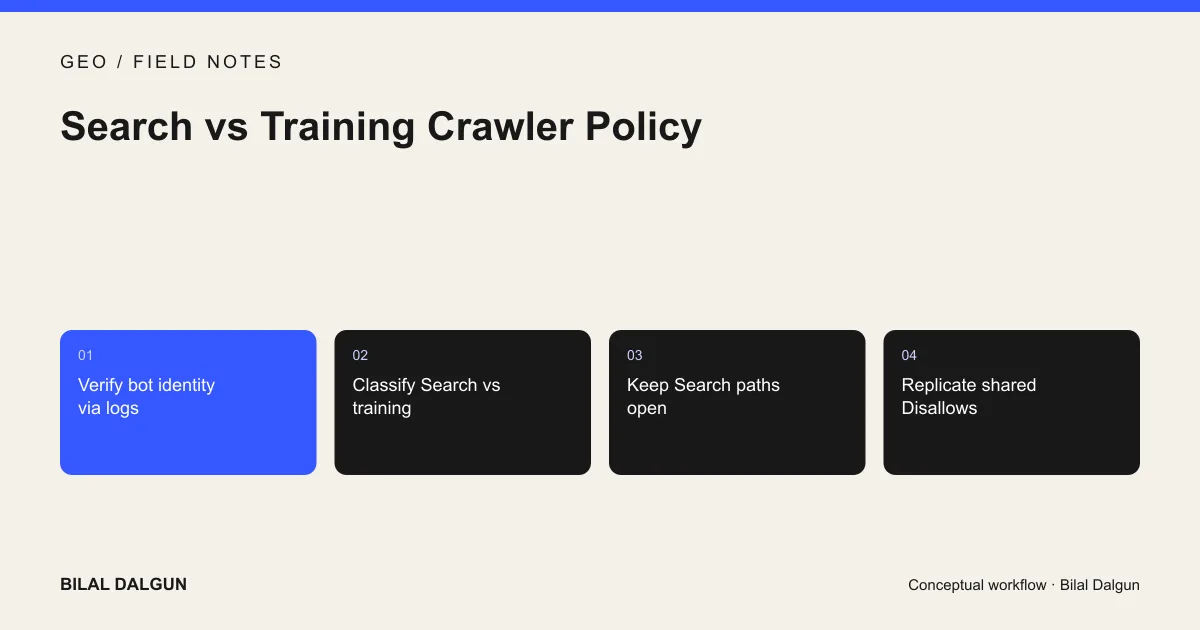
Before editing /robots.txt, categorize automated traffic by operational purpose rather than company name. In November 2026, Google Search Central's updates log also highlighted new guidance on generative AI controls and attribution in Search, underscoring why publishers need clean separation between search eligibility and training opt-outs.
Consider a hypothetical B2B SaaS publisher running a public knowledge base alongside customer-only PDFs and internal search result URLs. The team wants public documentation indexed for Search and AI answers, while keeping internal search parameter URLs and raw download archives uncrawled. By targeting directory paths for User-agent: * and reserving bot-specific blocks only where policies genuinely differ, they avoid accidental de-indexing.
| Crawler Category | Primary Purpose | Typical Impact of Blocking | Recommended Default Policy |
|---|---|---|---|
| Core Search Indexing | Builds web index for Search and AI summaries | Removes pages from Search and AI citations | Allow public marketing and docs |
| Live Answer Retrieval | Fetches cited pages during user queries | Reduces real-time brand attribution | Allow public commercial pages |
| Standalone Model Training | Collects datasets for future model weights | Limits training use if bot honors REP | Decide per legal and content policy |
| User-Triggered Fetchers | Fetches URLs on direct user request | Often bypasses standard automated REP | Protect private pages with auth |
Rule 1: Keep public documentation and product pages open to Search bots
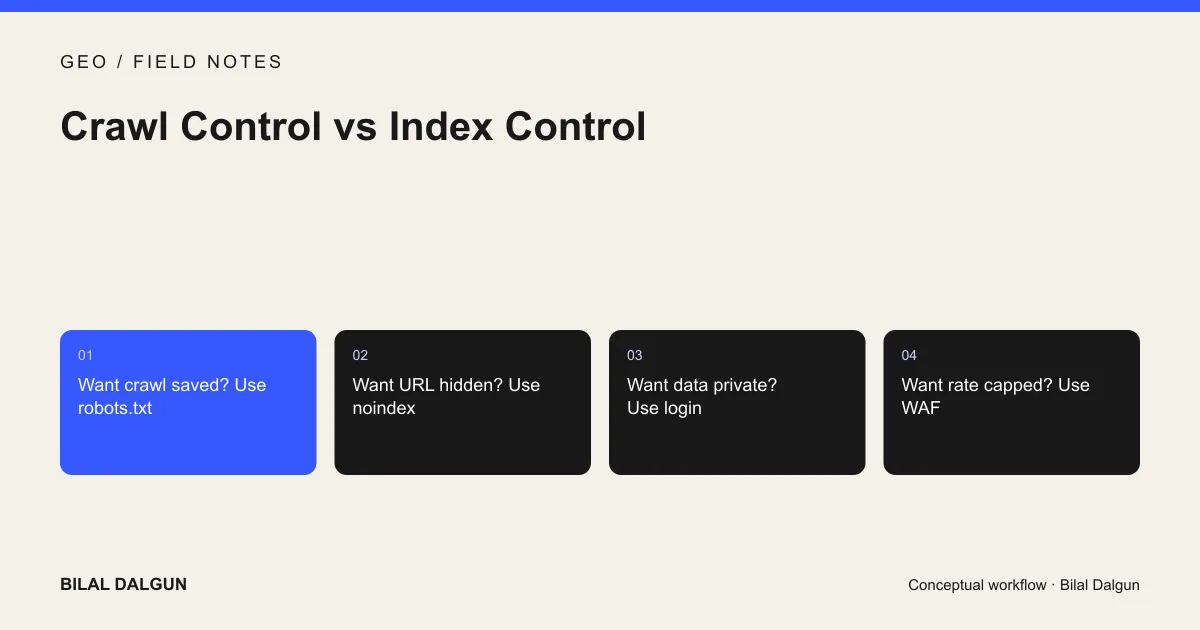
Never block Googlebot or primary search indexers from CSS, JavaScript, or commercial landing pages if you rely on organic discovery. If a page should not appear in Search results at all, use a noindex meta tag rather than blocking crawl access, because blocked URLs cannot be read for noindex directives.
Rule 2: Remember robots.txt controls crawling, not access security
A robots.txt file is a public text instruction, not an authentication barrier. Confidential reports, staging portals, and customer records must sit behind login authentication or IP restrictions rather than relying on Disallow lines.
Rule 3: Pair robots.txt governance with machine-readable AI context
Once crawl rules clearly permit search and retrieval bots on key pages, make your site structure easy for crawlers to interpret. You can complement clean crawl rules with our llms.txt setup guide and strengthen entity optimization for AI search across your core pages.
Common mistakes in AI robots.txt configurations
The biggest mistake is copying an unverified blocklist from social media and pasting dozens of User-agent rules without checking which bots power live search versus training. Blocking a search-indexing agent removes your brand from buyer comparison answers immediately.
Another frequent failure is syntax inheritance confusion. Under RFC 9309, when you create a dedicated User-agent: block for a specific bot, that bot ignores the User-agent: * section completely. If you block /admin/ or /search only under * and forget to repeat those disallows under your named bot groups, those crawlers can suddenly enter restricted paths. Finally, teams often forget that non-compliant scrapers ignore robots.txt entirely, so server-level rate limiting or WAF rules are needed for abusive traffic.
How I approach ai crawler robots.txt audits
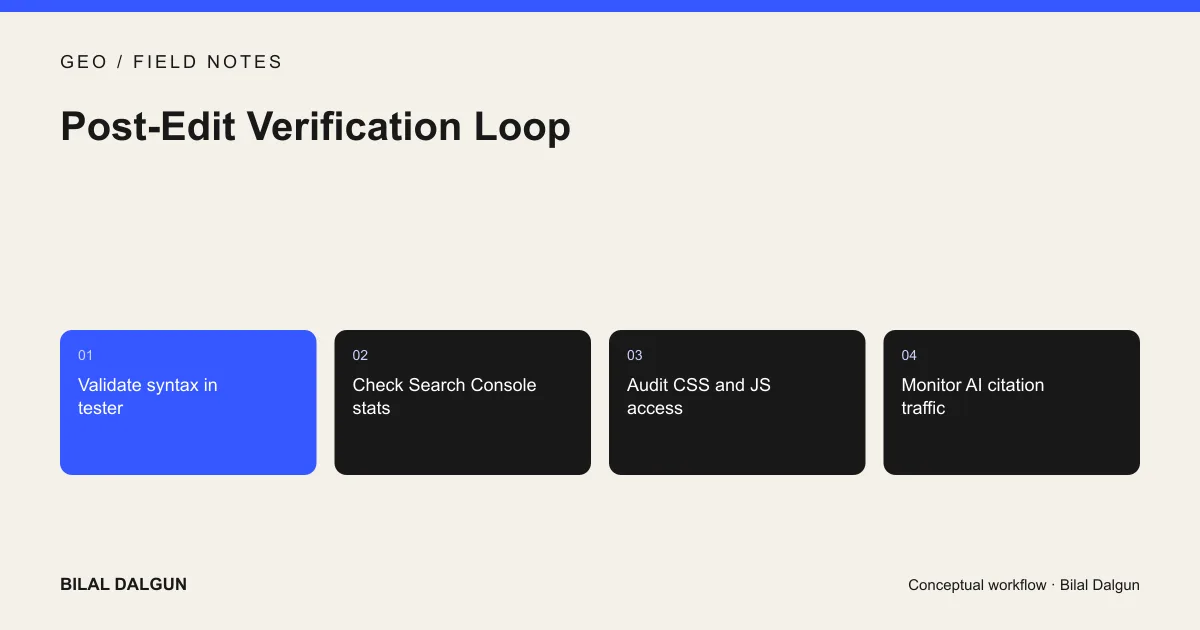
Whenever I review a company's robots.txt file, I start by checking server access logs alongside Search Console crawl stats before touching a single line. You need to see which user agents are actually hitting your origin and whether they serve search discovery or scrape low-value parameter URLs.
In my work, clean robots.txt files are short, explicit, and documented with comments explaining why each rule exists. I keep shared path protections consistent across bot groups, verify rendered access on key landing pages, and check that nothing accidentally blocks Search snippets. For deeper technical walkthroughs, watch the guides in my video library or explore our GEO and technical SEO services.
Key takeaways
- Separate core search indexing bots from standalone model-training crawlers before adding
Disallowrules. - Remember that under RFC 9309, a specific
User-agentblock overridesUser-agent: *and does not inherit wildcard disallows. - Never use
robots.txtto hide private data; enforce authentication and authorization on sensitive paths. - Use
noindexinstead ofrobots.txtblocking when you want an already-known URL removed from search results. - Audit server logs and Search Console regularly after any
robots.txtchange to catch unintended crawl drops.
FAQ
Does blocking an AI crawler in robots.txt remove my site from Google Search?
It depends on which user agent you block. Blocking Googlebot prevents Google from crawling pages for core Search and AI Overviews. Blocking a separate crawler token used for other products leaves Googlebot unaffected, provided your User-agent blocks are written cleanly and you do not accidentally block shared assets under wildcard rules.
Why did a named crawler start hitting disallowed paths after I added a User-agent block?
Under the Robots Exclusion Protocol, a crawler reads only its most specific matching User-agent group and ignores the wildcard User-agent: * section. If you create a dedicated block for an AI crawler without copying your global Disallow lines into it, that crawler gains permission to request previously restricted paths.
Can robots.txt stop unauthorized scrapers from taking my content?
No, robots.txt is a voluntary instruction honored by reputable search engines and compliant AI vendors. Malicious or unverified scrapers routinely ignore robots.txt directives. To stop abusive scraping or protect gated data, combine authentication, rate limiting, and web application firewall rules at the server or CDN layer.
Should I use robots.txt to hide low-value pages from indexing?
No, blocking a URL in robots.txt stops crawling, not necessarily indexing if other pages link to it. When you want a page excluded from Search and AI Overviews, allow crawling and place a noindex meta tag or X-Robots-Tag header on the URL so Google can read and obey the removal directive.
What to do next
- Open your live
/robots.txtfile and verify that every namedUser-agentgroup repeats essentialDisallowpaths such as staging or internal search URLs. - Cross-check active AI user agents in your CDN or server logs against official vendor crawler lists before adding blocks.
- Test key commercial and documentation URLs in Search Console to confirm Search crawlers can fetch full HTML and assets.
If you want a technical review of how search and AI crawlers access your site, book a call with Bilal Dalgun and we will audit your crawl configuration together.
Sources
- How Google Interprets the robots.txt Specification | Google Crawling Infrastructure | Crawling infrastructure | Google f (2026-10-23)
- Google's common crawlers and user agents | Google Crawling Infrastructure | Crawling infrastructure | Google for Develop (2026-11-24)
- Latest Google Search Documentation Updates | Google Search Central | What's new | Google for Developers (2026-11-24)